
Understanding SalonHub360 plans
Requirements
- Available on: All plans
- Device access: Web & mobile browser
- Permission: Owner
SalonHub360 offers five plans, from a free starter tier to Enterprise. This article explains what each one includes so you can pick the right fit — and shows where to see your current plan and usage.
The plans at a glance
The main difference between plans is how many staff members you can have and which features are unlocked. All plans include core booking, your calendar, and client management — Free is capped at 15 bookings a month and 5 services.
| Plan | Price | Staff | Best for |
|---|---|---|---|
| Free | $0 | 1 staff member | Trying SalonHub360 |
| Starter | $19.99/mo | Up to 2 staff | Solo techs & independent stylists |
| Growth | $49.99/mo | Up to 8 staff | Small salons |
| Premium | $99.99/mo | Up to 20 staff · 2 locations | Busy salons |
| Enterprise | Contact us | 20+ staff or 3+ locations | Salon groups |
Note: Prices shown are monthly and can change — Billing & Plans always shows the current ones. Choosing yearly billing saves money; each plan card shows its own yearly discount. See Change or upgrade your plan.
Note: The Free plan doesn't take card payments, and pauses new online bookings once you hit 15 for the month (everything already booked stays put, and clients still see your phone number). Upgrade to Starter or above for unlimited bookings and card payments, deposits and Tap to Pay.
Which features come with which plan
Some features unlock as you move up. The most common gates:
| Feature | Unlocks on |
|---|---|
| Gift Cards | Starter and above |
| Card payments & deposits (SalonHub360 Payments; Tap to Pay coming soon) | Starter and above |
| Website Builder, Reports & insights, Packages, Memberships | Starter and above |
| Custom Domain, Messages, Online Store, Daily Deals, Rent Collection, Inventory, Marketing (campaigns, coupons, loyalty points, birthday email) | Growth and above |
| Design Studio (advanced website builder) | Premium and above |
Text message reminders show as Coming soon for now — appointment reminders go out by email today.
If a feature is locked on your plan, you'll see a prompt to upgrade — for example, "Reports & insights is available on the Starter plan and above — upgrade in Billing & Plans."
See your current plan and usage
-
In the left menu, open Billing & Plans.
<!-- CAPTURE: route=/billing | login=owner | state=active plan (Premium demo) | highlight=Current Plan card | viewport=1440x900 -->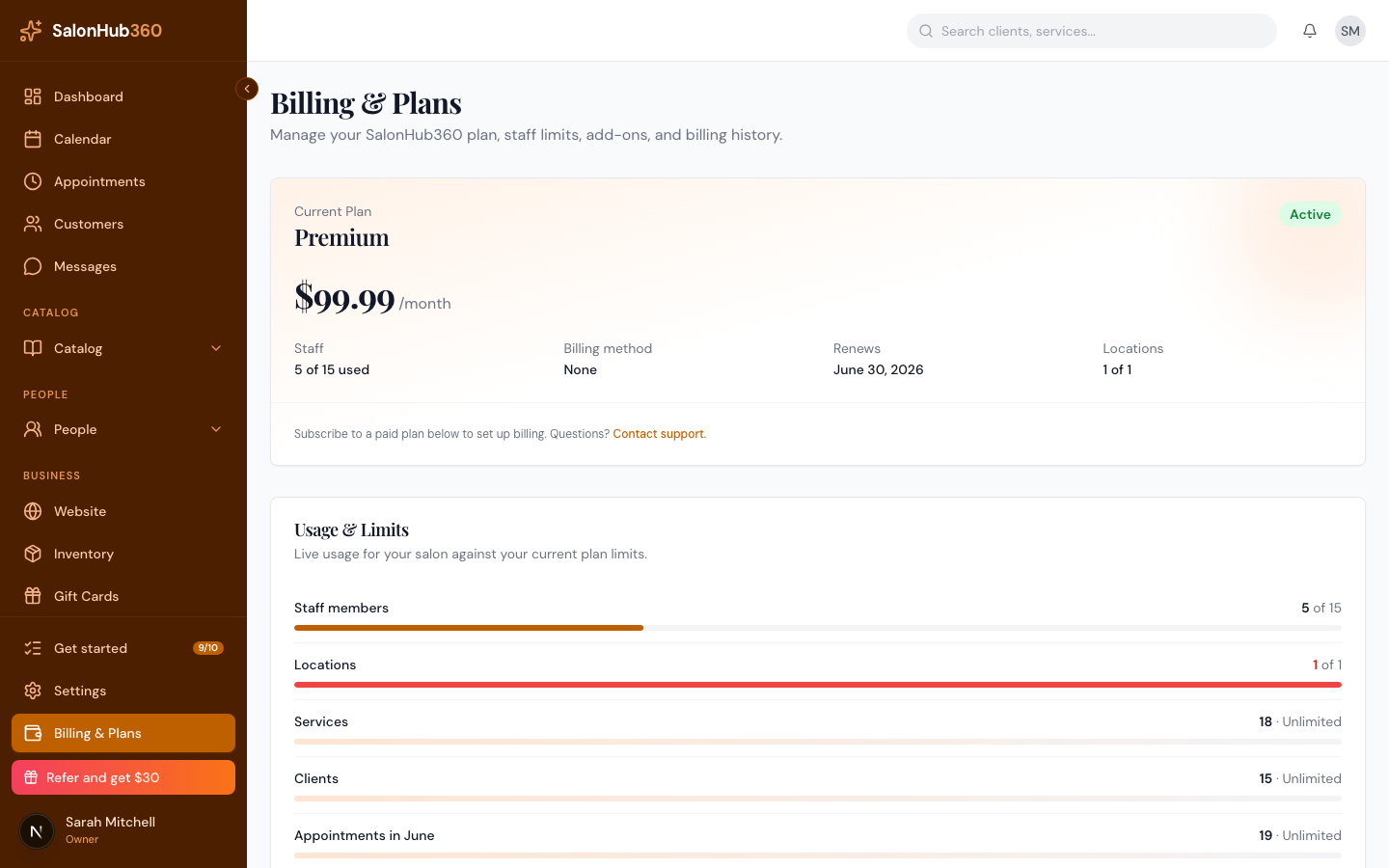
-
The Current Plan card shows your plan name, price, and a status badge (such as Active, Trial, or Past due).
-
The Usage & Limits section shows how much of your plan you're using — for example Staff members as 2 of 20 used, plus your locations, services, clients, and SMS credits balance.
<!-- CAPTURE: route=/billing | login=owner | state=active plan | highlight=Usage & Limits section | viewport=1440x900 -->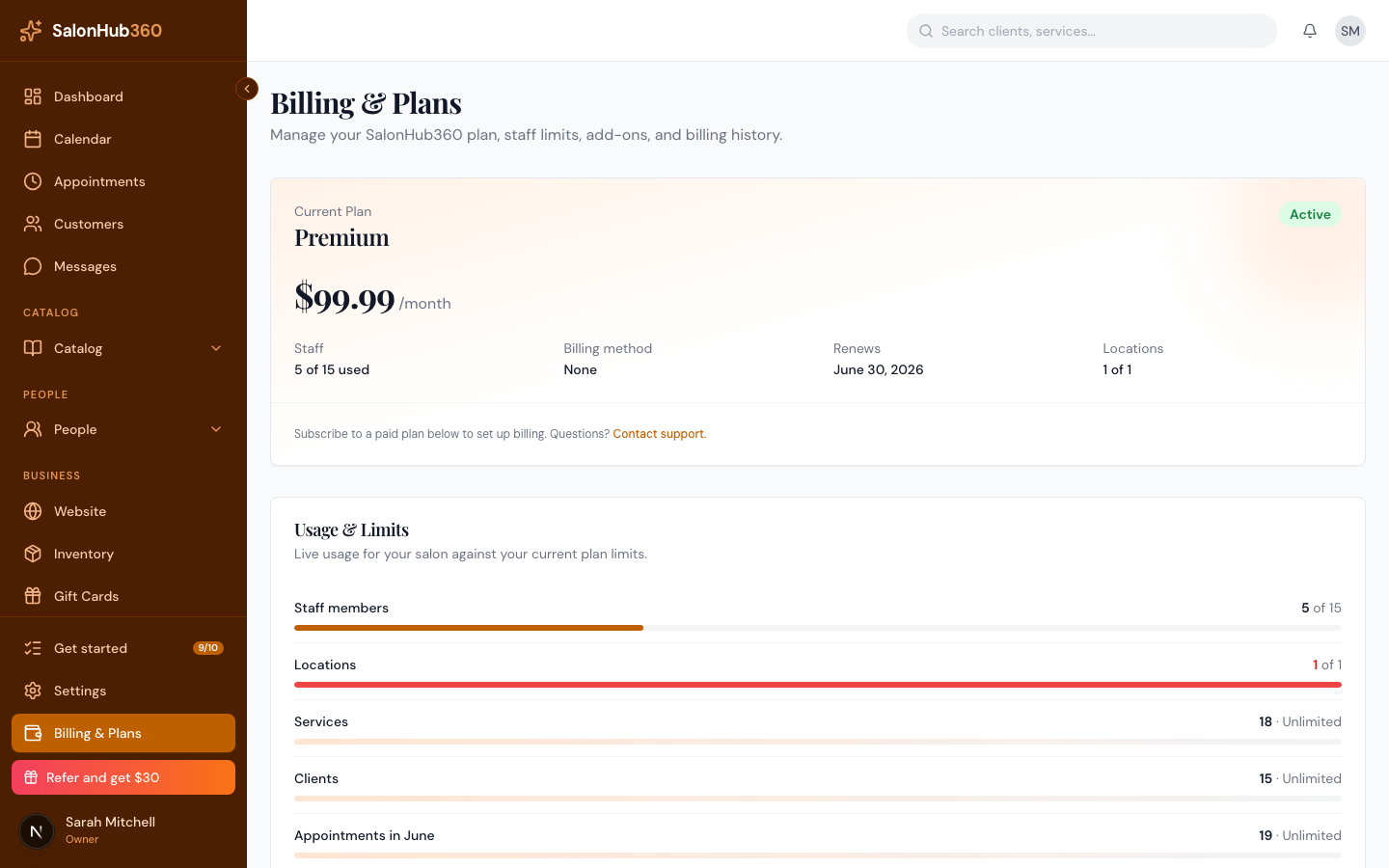
Tip: Ready to move up or down a tier? See Change or upgrade your plan.
Related articles